Monthly Trust Fee Audit
Timing: Monthly on the 6th
Who Owns: Thessa
Reports to: Pink & Ryan
Loom Video: Click Here
SOP Below (Generated by Loom)
Monthly Trust Fee Collection Procedure
Objective
This SOP outlines the steps for collecting monthly trust fees, verifying transactions, and documenting any discrepancies or special cases.
Key Steps
Annual vs Monthly Collection 0:00
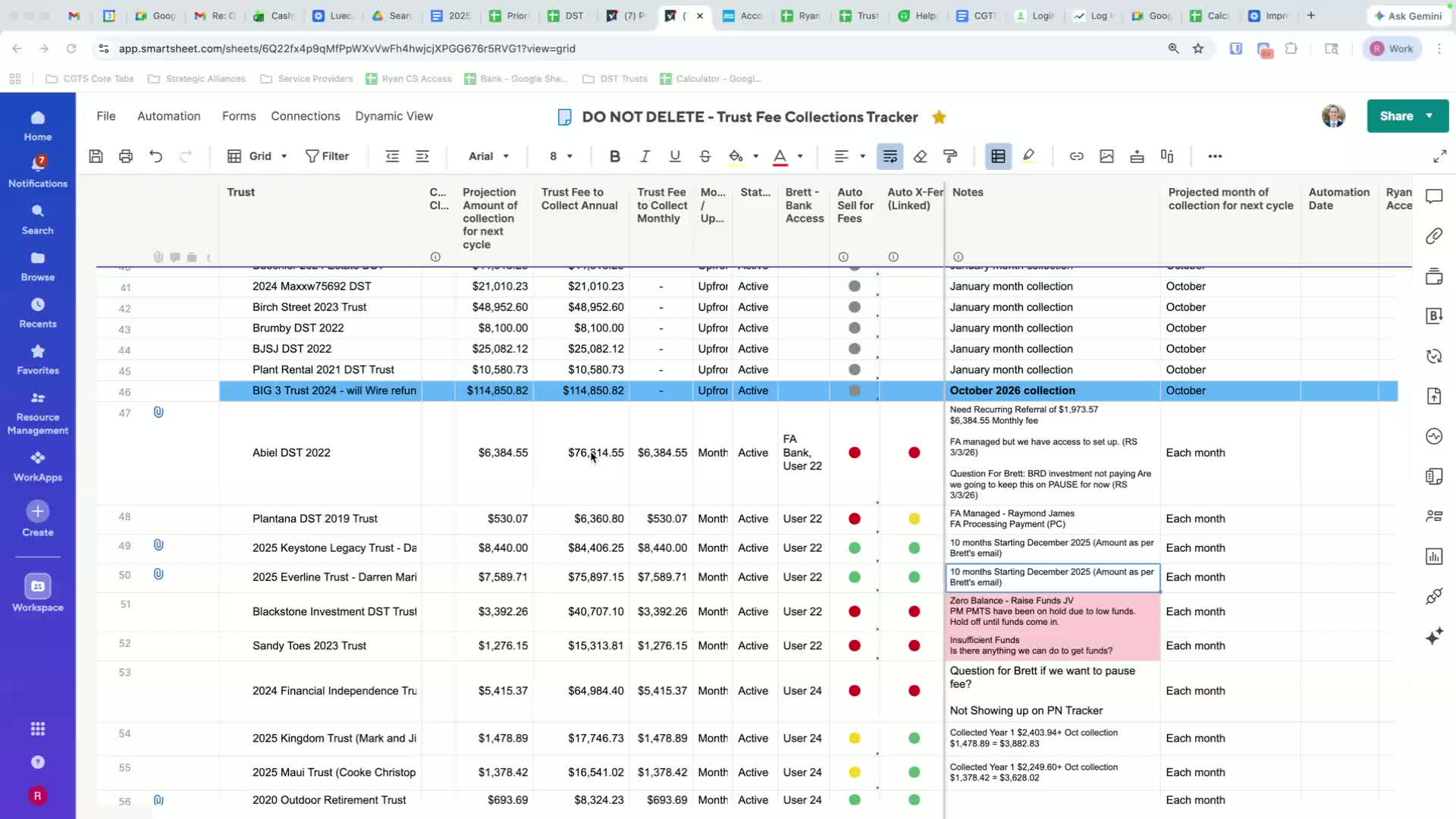
Identify which fees are collected annually (grey) and which are collected monthly (not grey).
Ensure you are tracking the monthly collection amounts.
Accessing Vue Access 0:38
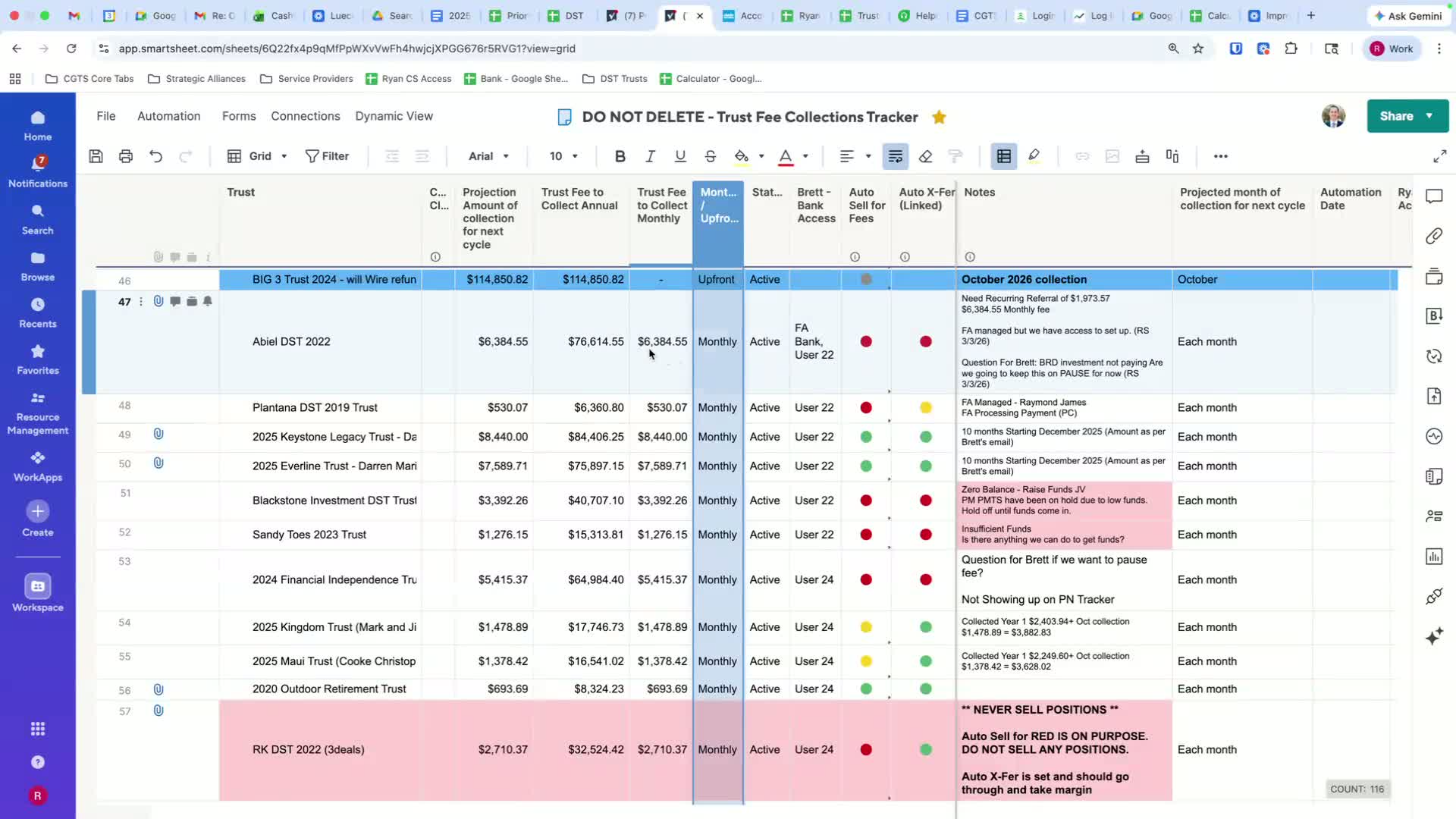
Log on to Vue Access.
Verify that the monthly collection amount matches the expected amount.
Setting Up Profiles 1:14
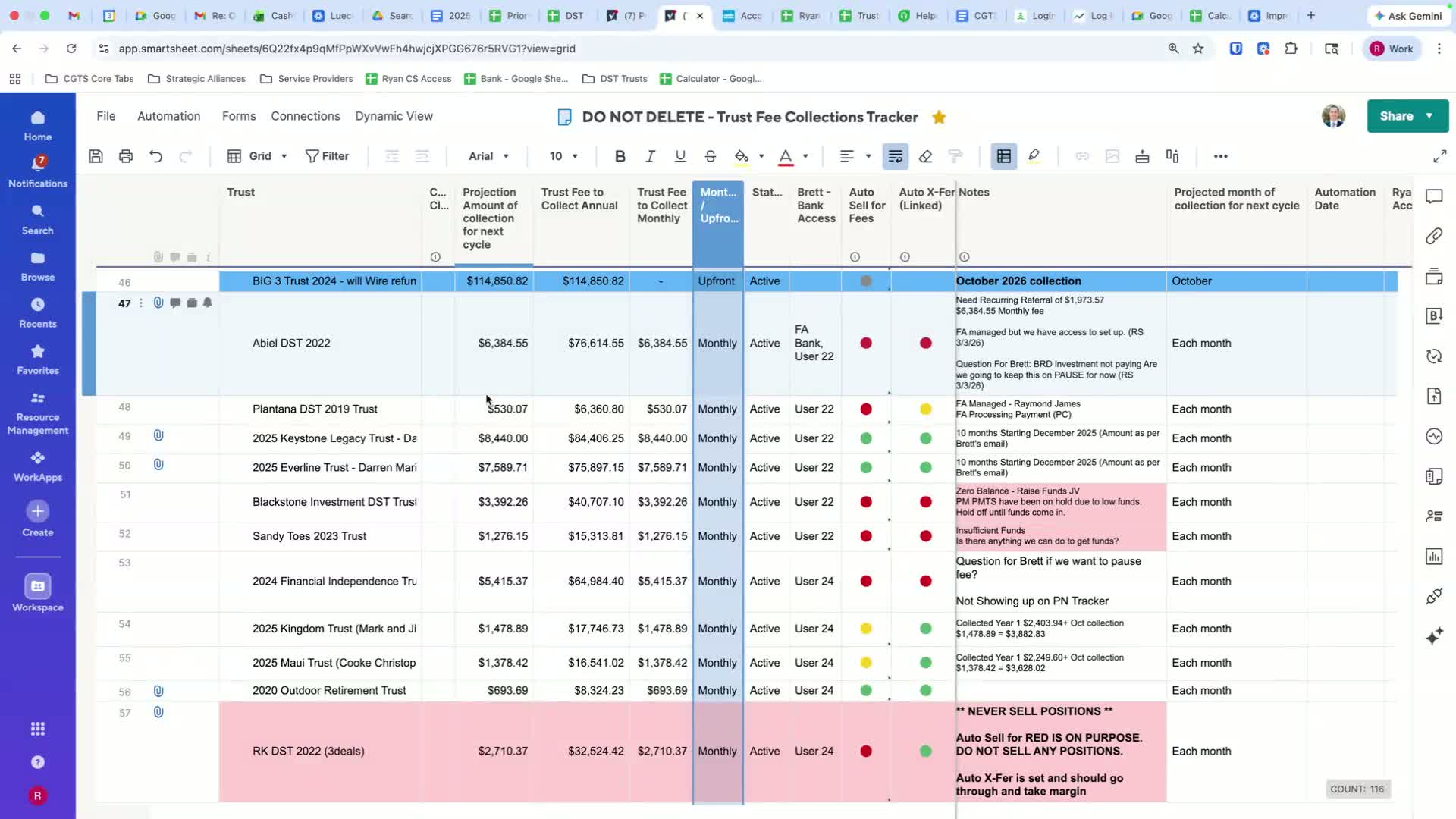
Create a profile for each team member (e.g., Ryan's view access).
Ensure each member knows their access details.
Tracking Payment Dates 1:52
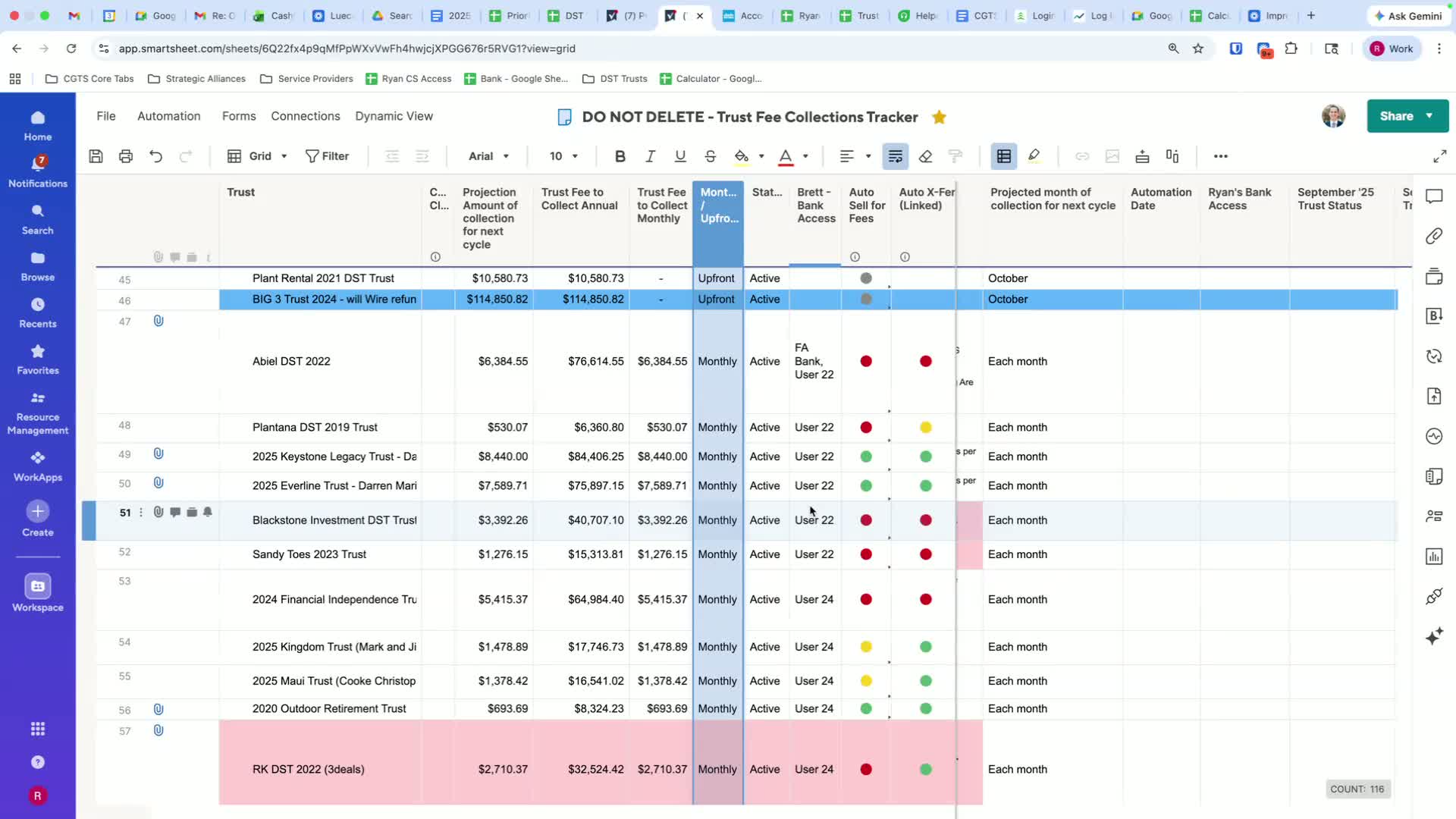
Note the projected next cycle automation date.
Confirm the payment is scheduled for the correct date (e.g., 5th of the month).
Identifying Payment Status 2:24
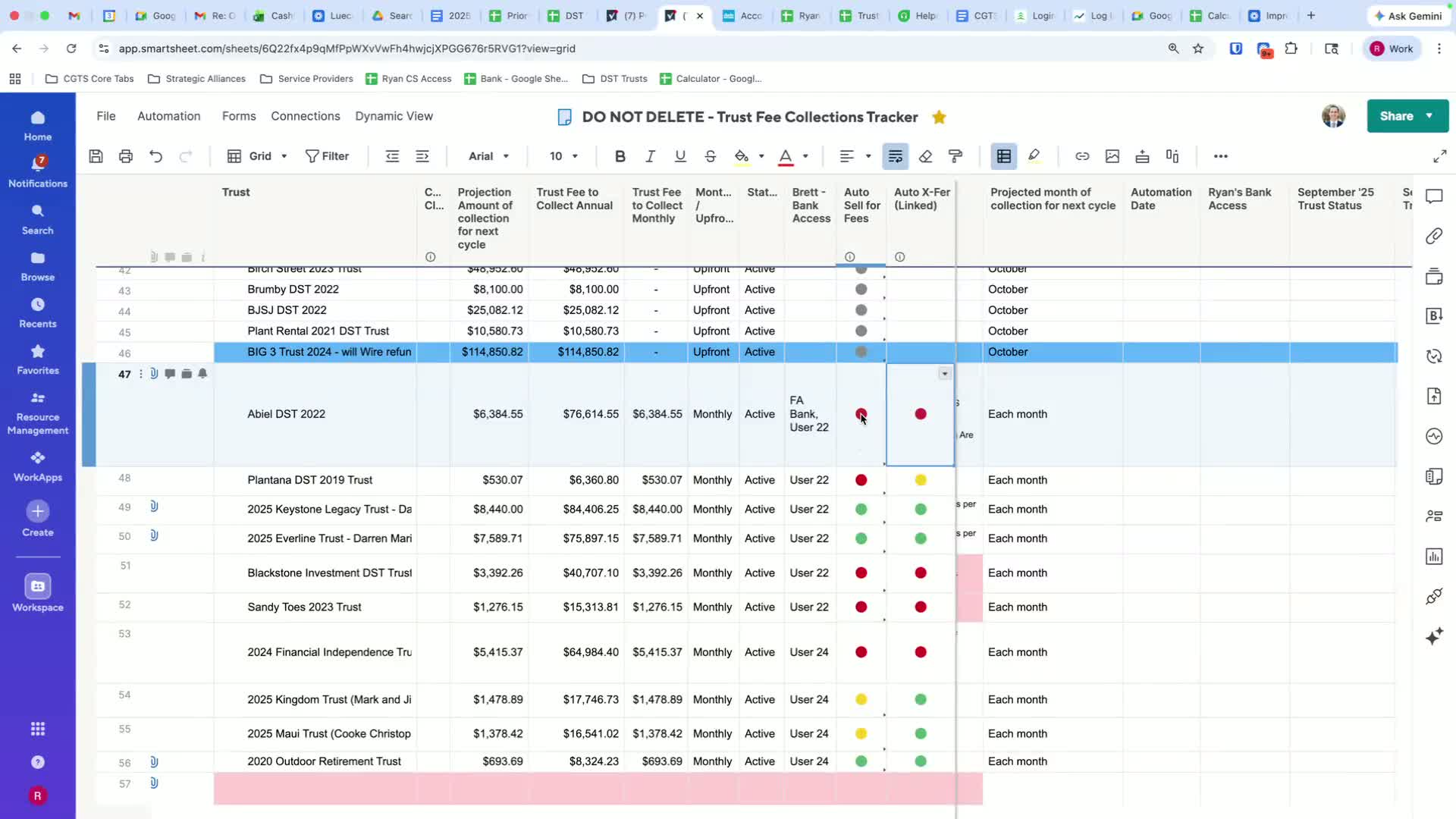
Use color coding to identify payment statuses:
Red: No payment expected.
Green: Payment is scheduled.
Yellow: Managed by financial advisor.
Verifying Automatic Transfers 3:23
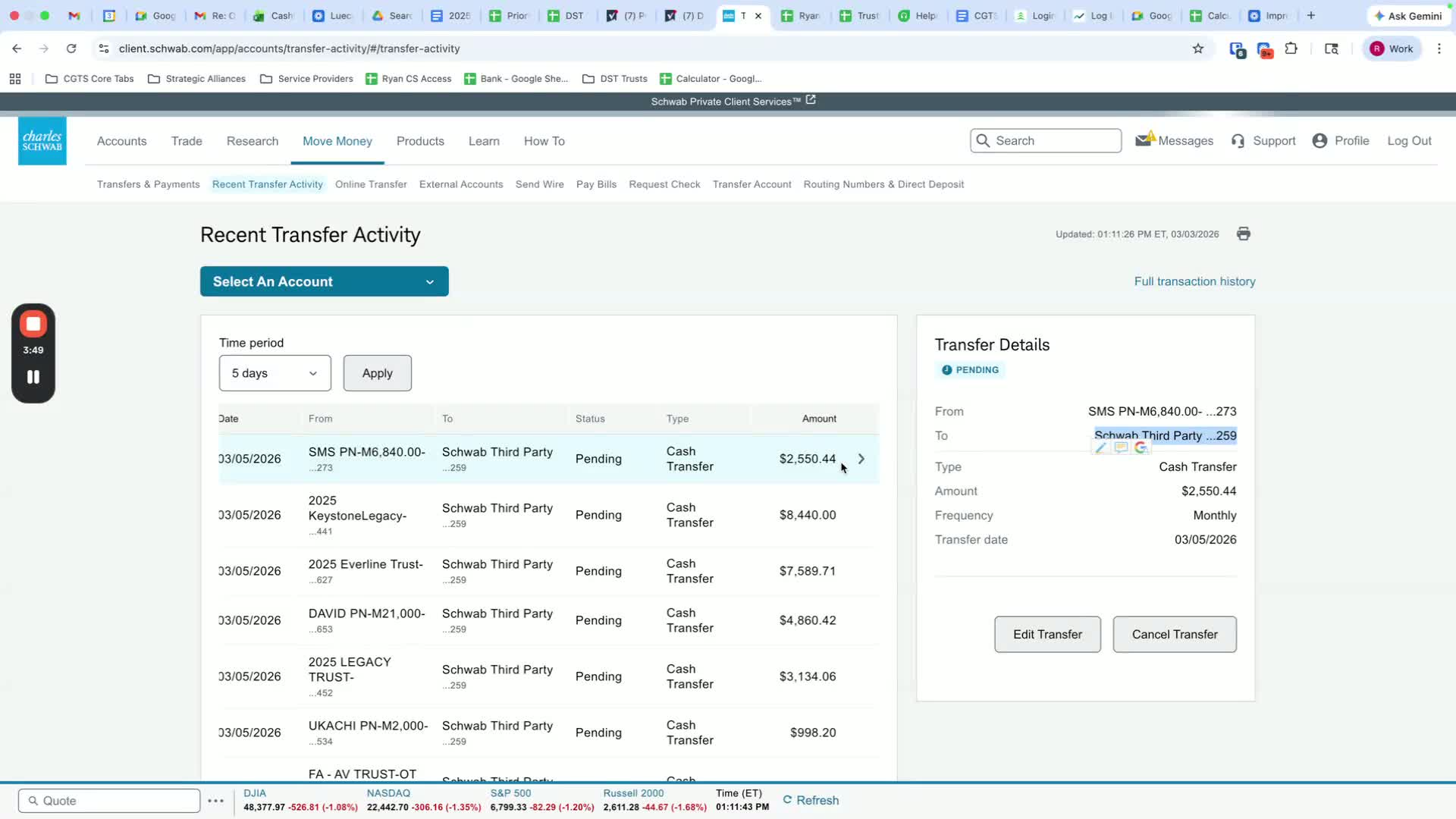
Check if automatic transfers are set up in Charles Schwab.
Ensure the amount matches the expected monthly payment.
Documenting Catch-Up Payments 5:00
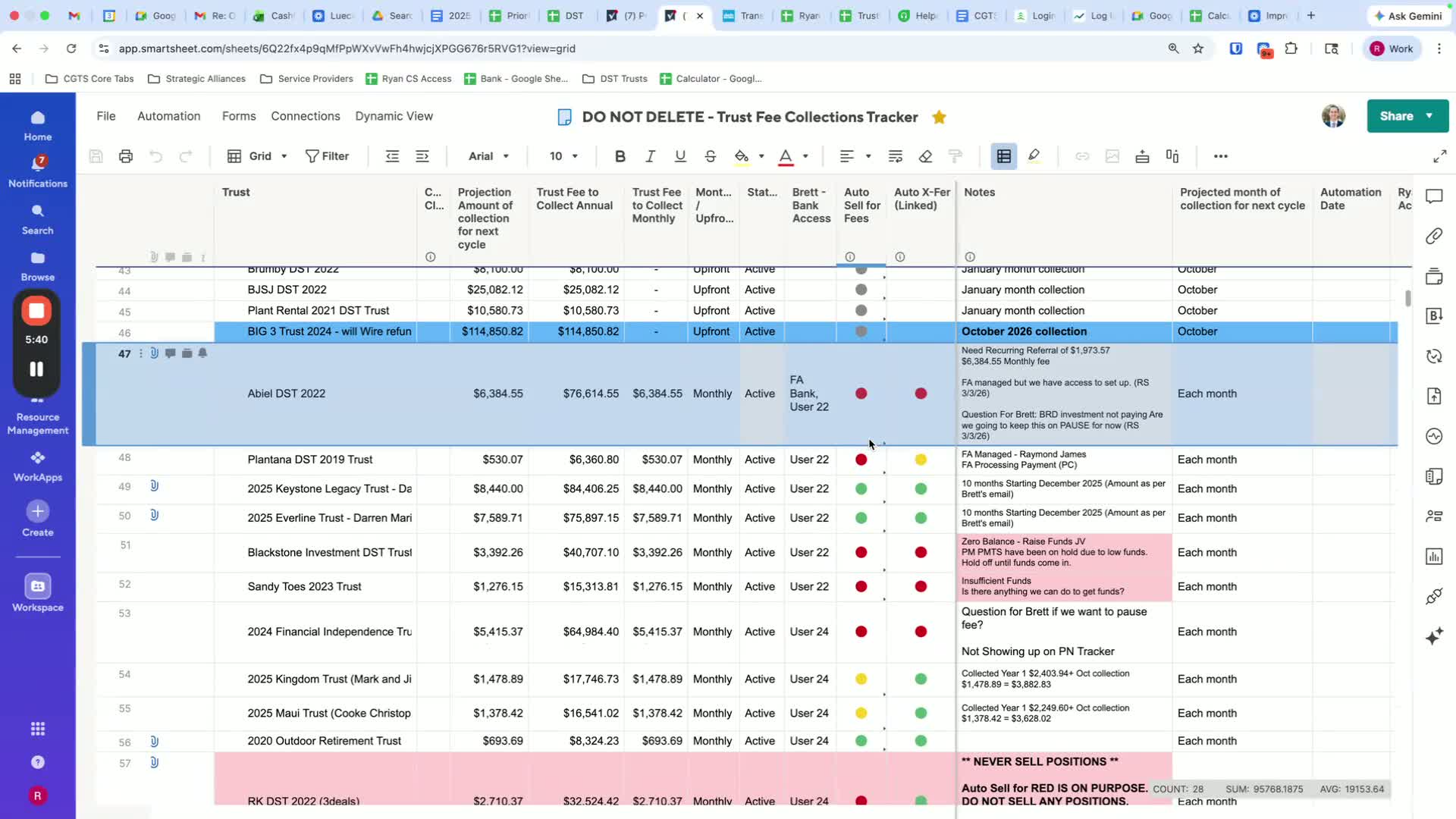
If a catch-up payment is needed, document it clearly in the notes.
Include details of the months being caught up (e.g., March, April, May).
Adding Screenshots 7:28
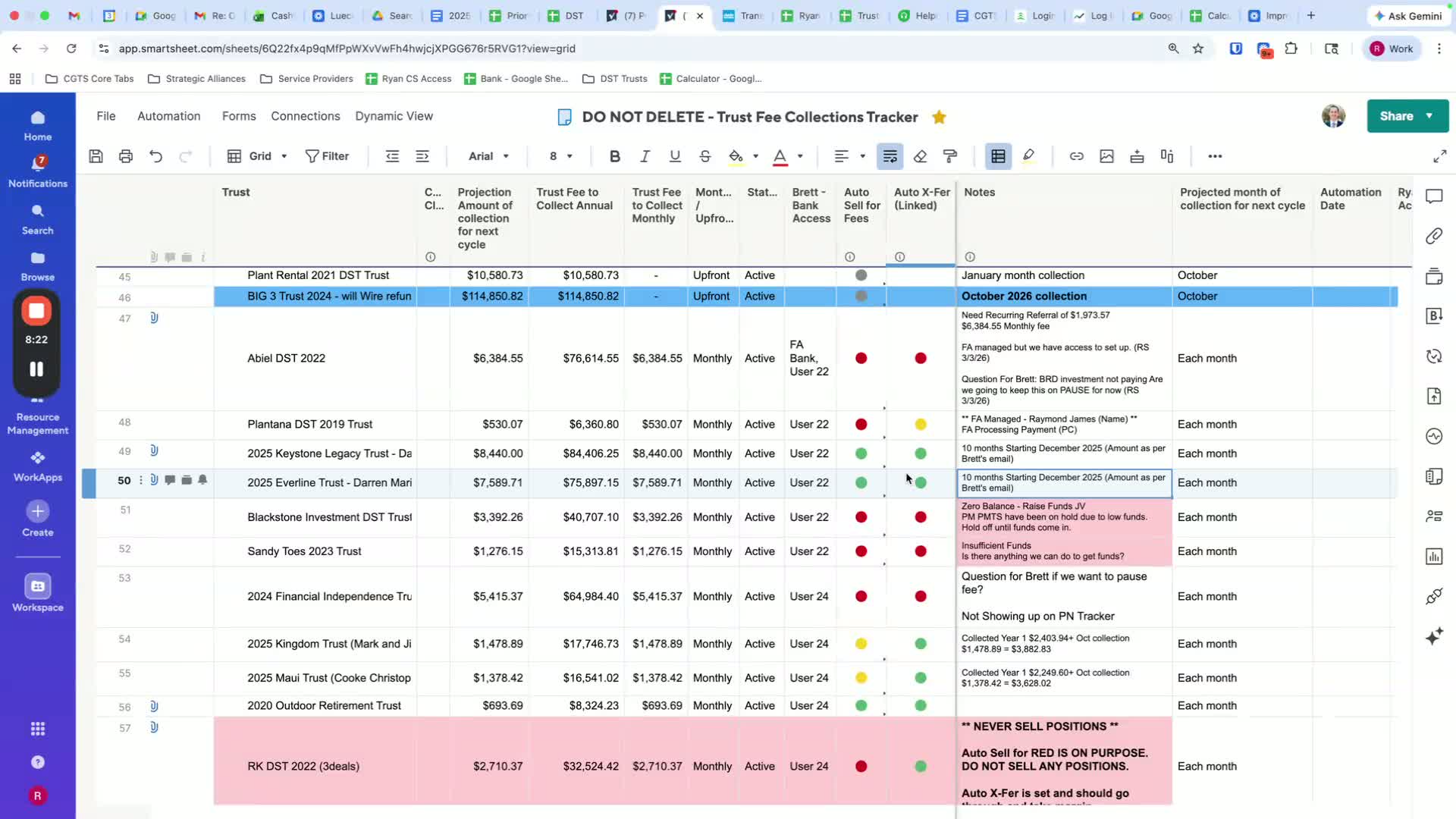
Take screenshots of transactions as they occur.
Add these screenshots to the appropriate records.
Updating Payment Records 10:08
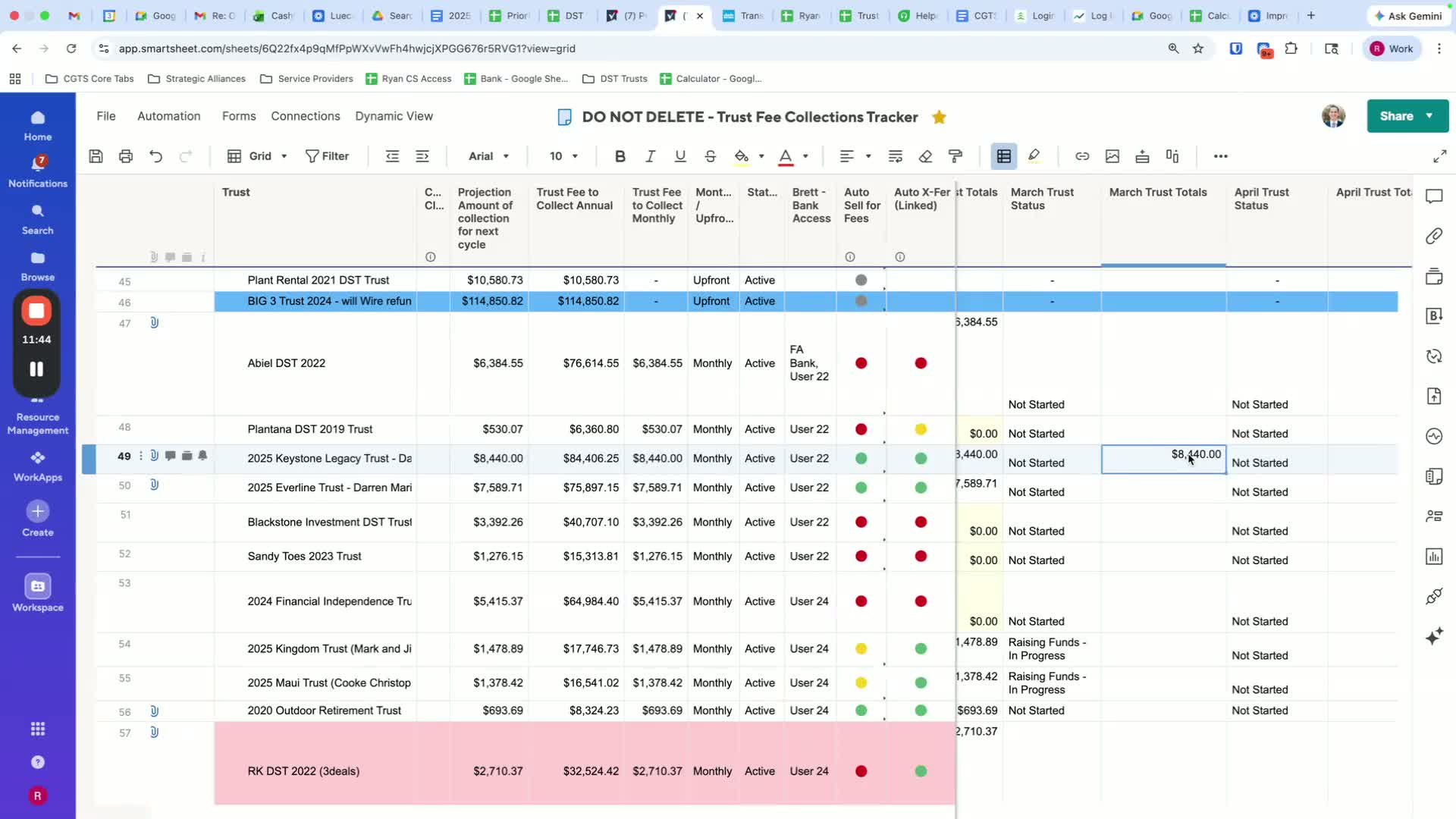
When payments are made, update the records with the payment amount.
Document any discrepancies or adjustments.
Handling Payment Discrepancies 12:00
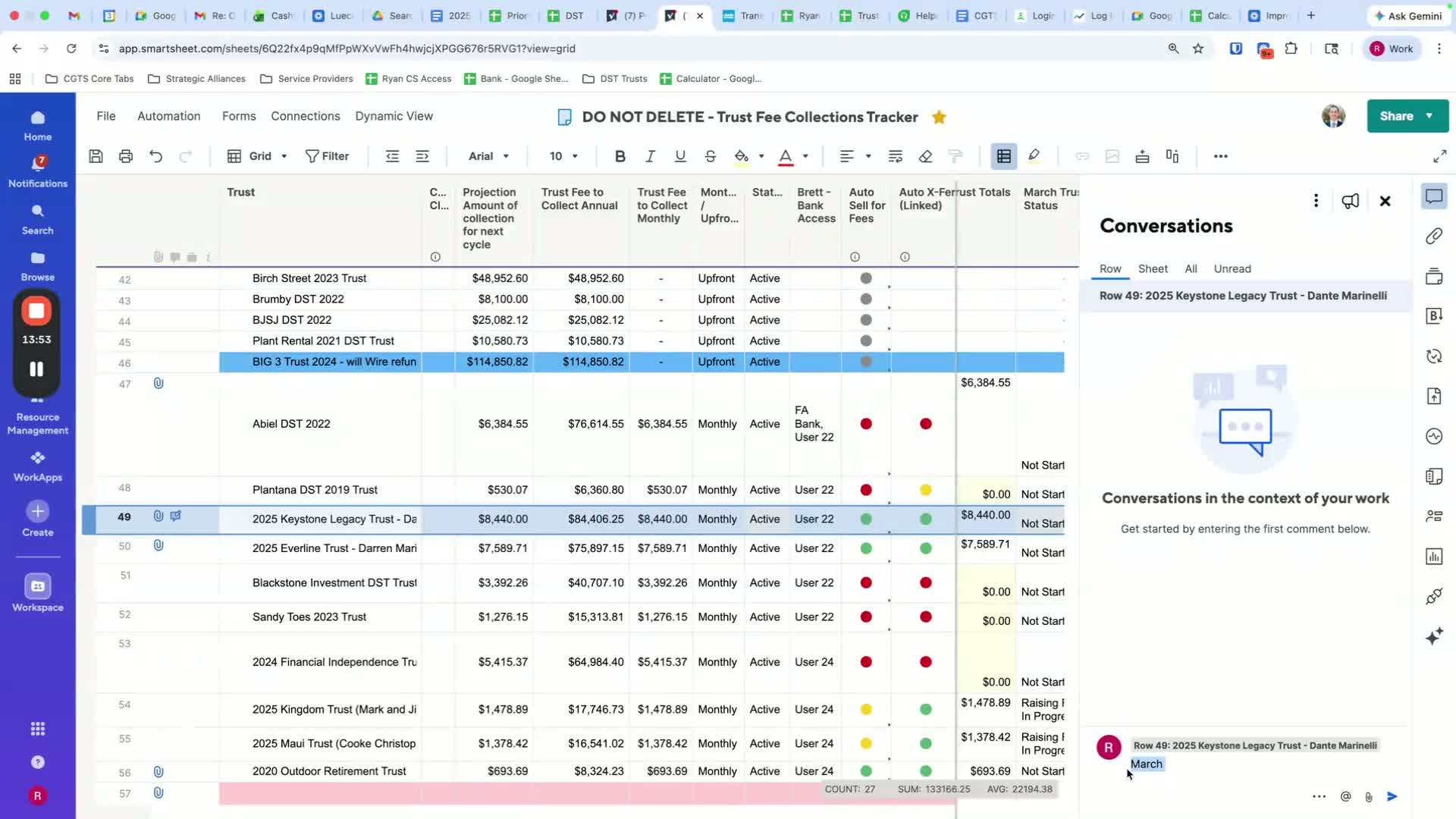
If the payment amount is different than expected, document the reason.
Communicate with team members to clarify any issues.
Finalizing Monthly Reports 45:20
Review all entries for the month.
Ensure all payments are marked as paid, unpaid, or on hold with appropriate comments.
Cautionary Notes
Always double-check payment amounts and dates to avoid discrepancies.
Communicate promptly with team members if there are any issues or questions regarding payments.
Tips for Efficiency
Use templates for documenting payments to save time.
Regularly review and update profiles to ensure accuracy.
Schedule reminders for payment verification dates.
Link to Loom
Was this article helpful?
That’s Great!
Thank you for your feedback
Sorry! We couldn't be helpful
Thank you for your feedback
Feedback sent
We appreciate your effort and will try to fix the article